
How to Build an Effective Employee Onboarding Knowledge Base
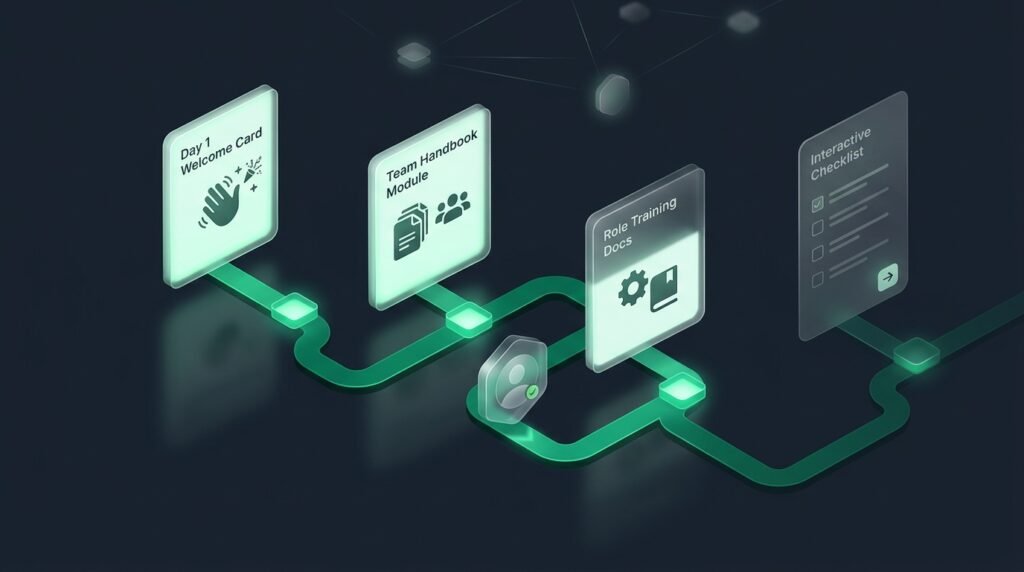
First impressions matter. When a new team member joins an organization, their initial 30 days define their long-term engagement, confidence, and productivity. Unfortunately, at most companies, onboarding is a disjointed scramble of broken links, conflicting advice, and overwhelmed managers.
An Employee Onboarding Knowledge Base transforms this chaotic experience into a structured, empowering journey. By providing new hires with a single, searchable portal containing everything from company culture to technical SOPs, organizations dramatically shorten ramp-up time while boosting employee retention.
Table of Contents
- 1. Why Onboarding Documentation Matters
- 2. The 4 Essential Onboarding Categories
- 3. Structuring a 30-60-90 Day Milestone Roadmap
- 4. Incorporating Interactive Role-Specific SOPs
- 5. Managing Access and Permissions for New Hires
- 6. The First 48 Hours: Eliminating Anxiety
- 7. Department-Specific Onboarding Playbooks
- 8. Keeping Onboarding Material Fresh
- 9. Frequently Asked Questions
1. Why Onboarding Documentation Matters
Research consistently shows that structured onboarding increases new hire retention by over 80%. When expectations, tools, and processes are documented clearly:
- New employees feel psychologically secure and equipped to contribute early.
- Team managers save up to 20 hours per hire by eliminating repetitive explanations.
- Remote and distributed employees receive the exact same high-quality orientation as in-office staff.

2. The 4 Essential Onboarding Categories
Organize your new hire portal into four intuitive categories:
A. Welcome & Company Culture
Company history, mission, core values, leadership bios, organizational chart, and office communication etiquette.
B. Tools, Accounts & Security Setup
Checklist for password manager configuration, SSO login, 2FA setup, Slack/Teams channel guide, and IT hardware support procedures.
C. Role-Specific Playbooks & SOPs
Granular instructions tailored to the employee’s department (e.g., how engineers submit pull requests or how sales reps log CRM interactions).
D. HR Policies & Employee Benefits
Health insurance summaries, paid time off (PTO) request procedures, expense reimbursement guidelines, and annual review cycles.

3. Structuring a 30-60-90 Day Milestone Roadmap
Prevent information overload by pacing the learning process across three distinct phases:
- Days 1–30 (Foundation): Complete compliance reading, configure all accounts, shadow team leads, and complete small orientation tasks.
- Days 31–60 (Contribution): Execute core role SOPs independently, collaborate on cross-functional tasks, and flag documentation gaps.
- Days 61–90 (Autonomy): Take full ownership of deliverables, author new SOPs, and participate in peer review workflows.
4. Incorporating Interactive Role-Specific SOPs
Static reading lists are easily ignored. In Life With a Mission, you can assign interactive checkable SOPs to new hires, allowing them to verify their account configurations and operational setups item-by-item with verifiable sign-offs.
5. Managing Access and Permissions for New Hires
Utilize Role-Based Access Control (RBAC) to grant new hires Viewer or Editor access to their team categories while keeping executive and billing workspaces strictly protected.
6. The First 48 Hours: Eliminating Anxiety
The first two days of employment are crucial. Instead of letting a new hire sit idle waiting for IT permissions or manager check-ins, an automated onboarding knowledge base provides immediate structure:
- The Day-1 Checklist: A 10-step self-guided checklist covering email login, password manager installation, Slack channel introductions, and reading the company vision statement.
- Team Buddy System: Assigning an experienced colleague as an informal guide, linked directly within the employee portal.
- Immediate Quick Wins: Small, achievable initial tasks that familiarize the new hire with production systems safely.
7. Department-Specific Onboarding Playbooks
While general company policies apply to everyone, department playbooks address the specific mechanics of individual roles:
- Engineering Playbook: Setting up local development sandboxes, connecting to staging databases, understanding branch naming conventions, and reviewing the first pull request guidelines.
- Sales & Success Playbook: CRM pipeline stages, qualification frameworks (BANT/MEDDIC), demo call recordings, and standard pricing discount policies.
- Support Playbook: Ticket prioritization matrices, canned response guidelines, escalation paths, and empathy standards.
8. Keeping Onboarding Material Fresh
Make it a standard practice that every new hire’s final 30-day assignment is to audit the onboarding documentation and update any outdated instructions they encountered during their first month.
9. Frequently Asked Questions
How long should employee onboarding take?
While HR orientation takes a few days, full operational onboarding to achieve peak independent productivity typically spans 60 to 90 days.
Can we use one knowledge base for both HR and technical onboarding?
Yes. By utilizing hierarchical categories and team-level access permissions, HR policies and engineering playbooks can live seamlessly in one workspace.